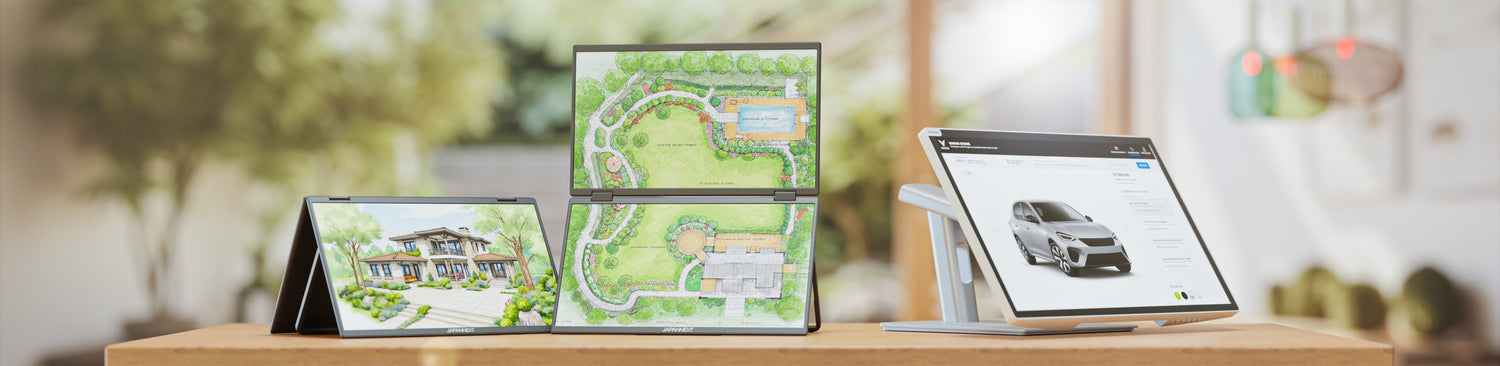
A dual mobile monitor is an accessory that displays two panels in front of the user and connects to the computer via a single cable. It is not two independent monitors placed side by side, but a self-contained unit, folded for transport and unfolded upon arrival.
The reference model in the JAPANNEXT catalog combines two 15.6-inch IPS Full HD 1920 x 1080 panels, inclinable 360 degrees, powered by USB-C Power Delivery. A 2 x 23.8-inch version exists for more sedentary use.
This setup reproduces the logic of a dual-screen workstation: one window for the source, one for the work in progress. It does not reproduce the display area of a desk equipped with two 27-inch monitors, and this is the distinction to keep in mind before purchasing.
Two panels, one cable, one port on the machine
The advantage of the format lies in the simplicity of connection: a single cable goes from the computer to the unit, distributing both video signal and power to both panels. The product sheet for the 2 x 15.6-inch Dual Portable Monitor specifies that the connection is made without prior installation and that power is transmitted via USB-C Power Delivery, the USB Implementers Forum specification that governs power exchange on this connector.
Video, on the other hand, passes through the DisplayPort alternate mode standardized by VESA, which transmits a DisplayPort signal over the USB-C pins. This is the condition to check on the machine side: a port that does not support this mode will not provide an image to either panel.
The 360-degree tilt allows you to adjust the angle of each panel once the unit is unfolded, which is more important on a coffee table or train tray than on a desk where seating height is stable.
Mobile or fixed: what the mobile setup can do, and what it cannot
The comparison with a fixed dual-screen workstation is the most legitimate question, and it deserves a frank answer rather than an argument.
What the dual mobile monitor provides: window distribution, which is the real benefit of multi-screen setups. Comparing two documents, keeping a video conference visible while taking notes, following a source while writing. These uses work identically on two 15.6-inch panels and on two 27-inch monitors.
What it doesn't replace: surface area. Two 15.6-inch Full HD panels offer a total resolution of 3840 x 1080 pixels spread over two modest diagonals. A fixed workstation with two 27-inch WQHD or 4K monitors displays more content simultaneously, with more readable characters at a comfortable desk viewing distance. On wide spreadsheets or multi-panel interfaces, the difference is noticeable.
The mobile setup should therefore be judged by what it replaces: not the desktop workstation, but the single screen of a laptop on the go. By this measure, the gain is clear.
Stacked mode and front-back configuration
Beyond the side-by-side arrangement, the manufacturer announces two less obvious layouts for dual-panel models.
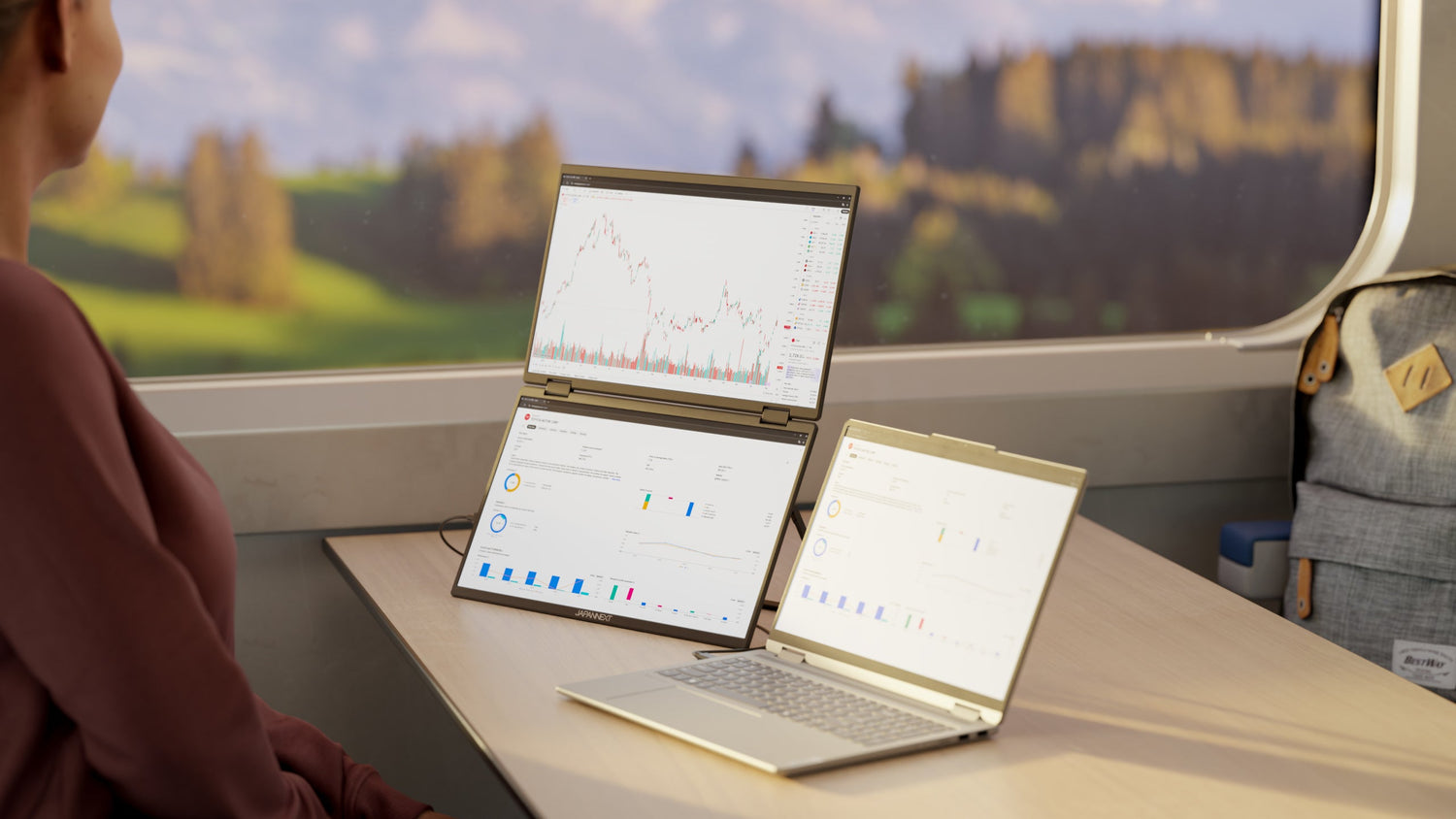
Stacked mode places one panel above the other rather than next to it. Horizontal footprint disappears, which is suitable for narrow surfaces, and the vertical organization lends itself to long information flows.
The front-back configuration orients one panel towards the interlocutor sitting opposite, while the other remains facing the user. This is the use case for one-on-one presentations: showing a document, a quote, or a mock-up without giving them access to the main screen, and without having to rotate the entire setup with each exchange.
These two arrangements are included in the manufacturer's product announcement. They are not detailed in the product sheet description, so it is advisable to verify them on the exact model before professional use that would depend on them.
Automatic 180-degree rotation
Dual-panel models are advertised with a gyroscope ensuring automatic 180-degree rotation, with the display reorienting itself according to the physical position of the screen, vertically or horizontally.
The practical benefit manifests itself in two situations. First, during deployment, when the unit is placed in an orientation that is not the intended one, and the image rights itself. Second, when switching to portrait mode, an orientation useful for reading long documents and code, without having to modify system settings.
Who this format is really for
The dual portable monitor is not for those who always work in the same place: for a fixed workstation, two desktop monitors remain superior in all criteria, especially screen real estate. It targets situations where the workplace changes.
Three profiles constantly emerge. First, professionals on the move, who prepare a meeting from a hotel or train and need to keep one document open while writing another. Second, freelancers and consultants, who alternate between home, client premises, and shared spaces without being able to set up a permanent workstation. Finally, those who work from a vacation spot or a converted vehicle, where the setup must be assembled and disassembled daily.
The common thread in these three uses is not power but the repetition of the setup process. A unit that unfolds in a few seconds and connects with a single cable can be reinstalled effortlessly, whereas a setup with two independent monitors and their power supplies is not portable.
What the machine must be able to provide
Compatibility is the primary concern for buyers, and it relates more to the machine than to the screen. A dual portable monitor behaves like a standard display peripheral, recognized without drivers by both Windows and macOS.
The prerequisite remains the same as for a single portable monitor: the USB-C port must support video alternate mode. On a Mac or a recent high-end laptop, this feature is usually present; on entry-level configurations, it requires verification.
A second limitation exists on the machine side, independent of the screen: not all laptops can drive the same number of external displays, as this capability depends on the graphics processor and not on the available ports. This point deserves verification on the machine's technical specifications before purchase.
JAPANNEXT Dual Mobile Monitors
- 2 x 15.6-inch IPS Full HD Dual Mobile Monitor, reference JN-DMD-IPS156F: two 1920 x 1080 IPS panels, 360-degree tilt, single cable, USB-C Power Delivery for power and device charging, HDR technology.
- 2 x 23.8-inch IPS Full HD Dual Mobile Monitor, reference JN-DMD-IPS238F-C4: the same principle on a diagonal close to a fixed workstation.
- A refurbished version of the 2 x 15.6-inch is also available, reference JN-DMD-IPS156F-refurb.
The manufacturer also announces VESA compatibility for the portable range, allowing mounting on a standard arm or stand when the user returns to a fixed workstation. The unit then serves as a sedentary display between trips, instead of remaining stored away.
These models are included in the portable monitor collection, alongside single-panel versions.
To go further: dual screen in action
- Nomadic office: dual monitor reinvents work: how the dual portable monitor fits into a workday away from the office.
- The nomadic creatives' dual monitor workshop: the same setup applied to creative professions, with their specific constraints.
- Laptop screen connectivity: what each port carries, and how to check that a port will output an image.
- Choosing your laptop screen: size, resolution, panel, and connectivity, the general framework for selection.
FAQ: Dual Portable Monitor
What is a dual mobile monitor?
It is a display accessory combining two self-contained panels, folded for transport and connected to the computer by a single cable that carries both image and power. It reproduces the logic of a dual-screen workstation in a portable format.
Does a dual mobile monitor work with a Mac?
Yes, the unit is recognized as a standard display without needing to install drivers. The condition is that the port used supports the video signal over USB-C, which is the case for recent Macs. However, the number of external displays managed simultaneously depends on the machine's processor.
Is one cable enough for two panels?
Yes, on models designed for this: the single cable powers the unit and distributes the signal to both panels, with power transmitted via USB-C Power Delivery. This is one of the main advantages of this format compared to two independent screens.
Does a dual mobile monitor replace a dual-monitor desktop workstation?
It provides the main benefit, window distribution, but not the display area. Two 15.6-inch Full HD panels show less simultaneous content than two 27-inch high-definition monitors. The format is designed for travel, not to replace a fixed workstation.
Can the panels be tilted or rotated?
360-degree tilt is specified in the description of the 2 x 15.6-inch model. The manufacturer also announces automatic 180-degree rotation via gyroscope, as well as a stacked mode and a front-back configuration for dual-panel models.