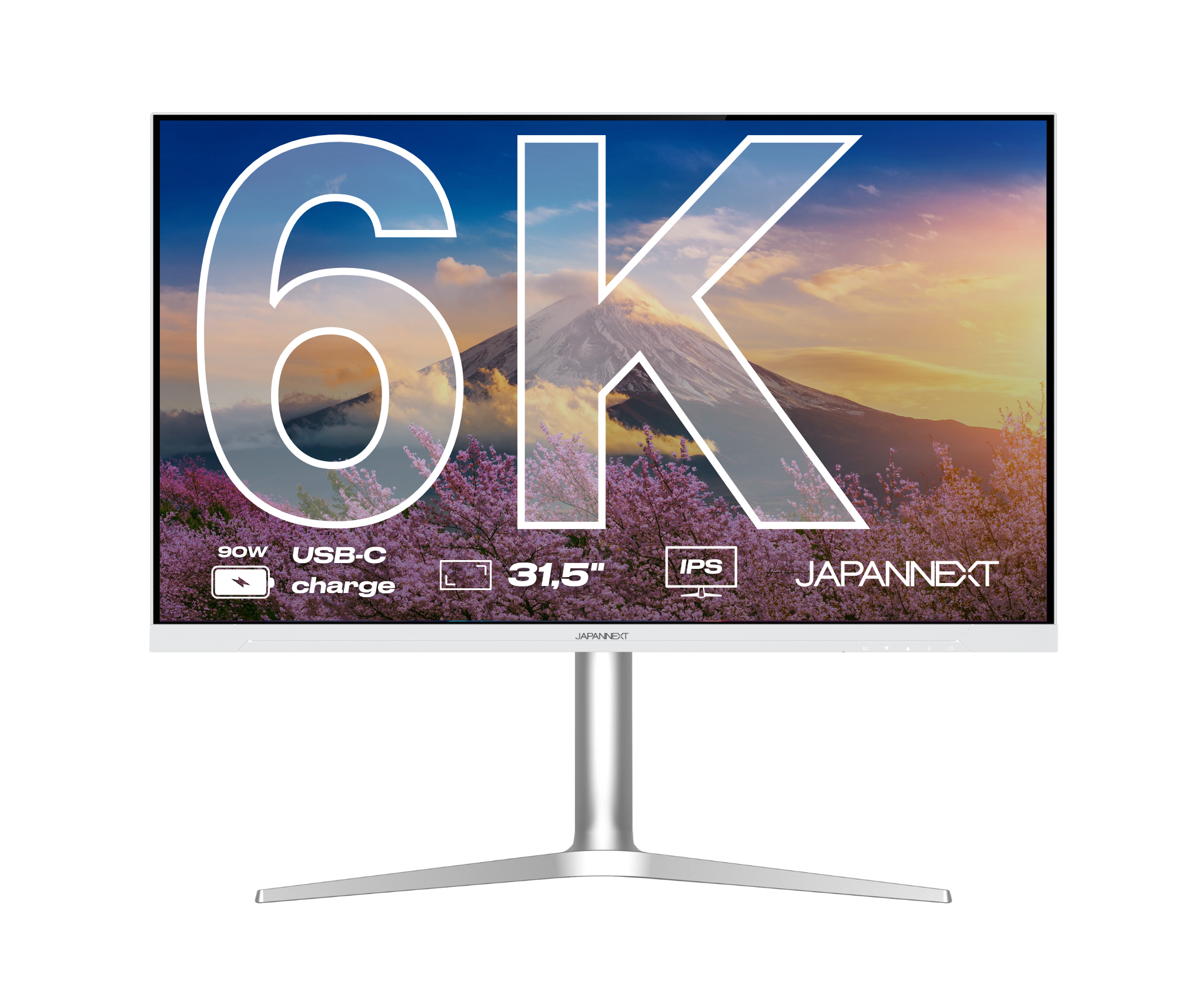
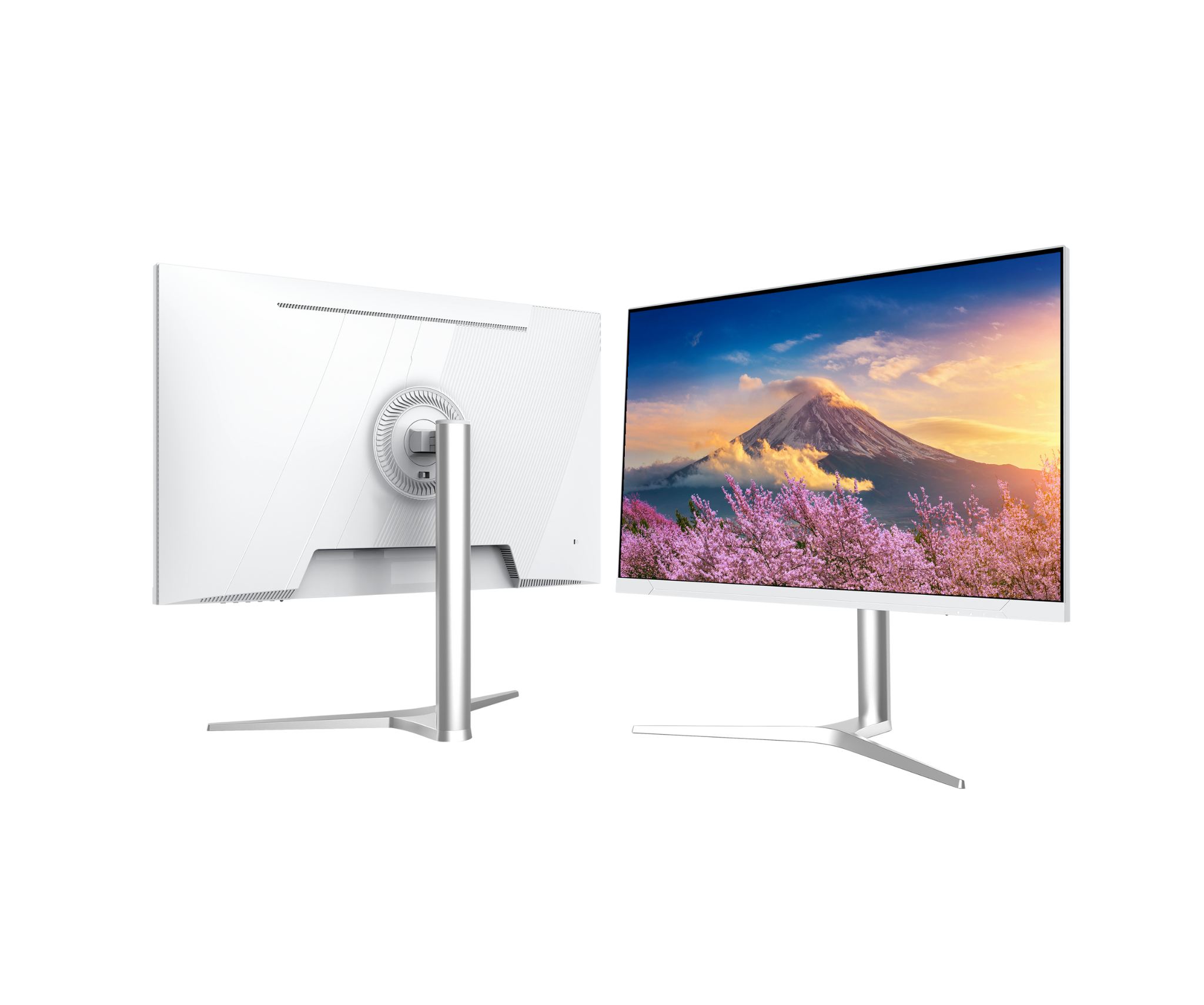
Desktop Monitor | 31,5" | IPS | 6K

JN-IPS326K-HSPC9
Skip to product information
1 of 8
  • Play video
  • Play video

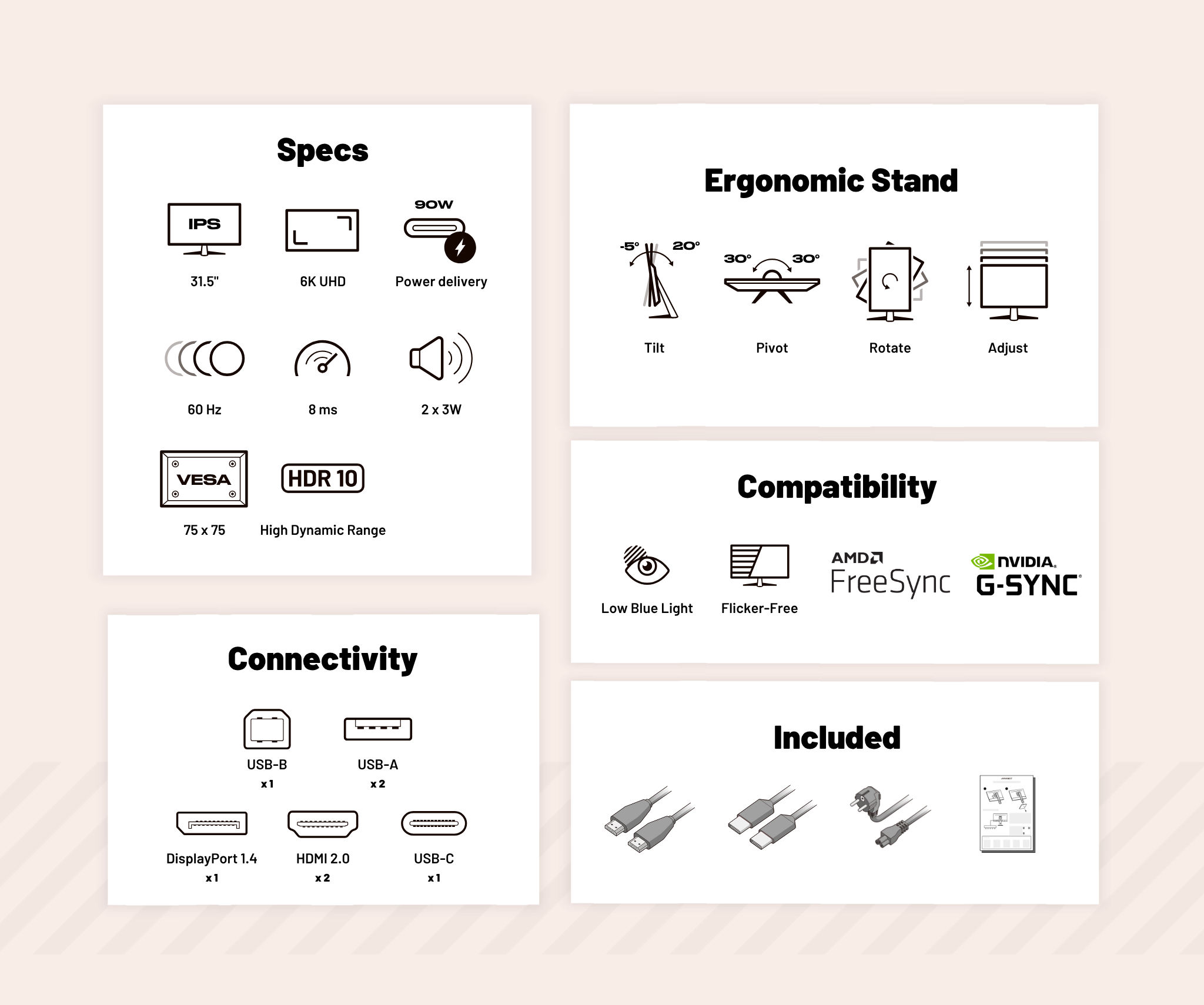
The JN-IPS326K-HSPC9 31.5" 6K monitor (6016 × 3384) delivers exceptional image performance, making it the ideal choice for creative professionals and demanding users seeking outstanding sharpness and detail.

  • IPS Panel: Premium image quality
  • Resolution: 6K – 6016 × 3384
  • Colors: 1.07 billion colors, [100% sRGB]
  • PIP Technology: Look at content from multiple sources simultaneously
  • HDR Technology: Deeper contrast and richer colors
Regular price
899 €
Regular price
Sale price
899 €
Sold out Delivery within 10 days
3x Pay in 3 instalments of 299,66 Voir les conditions
Desktop Monitor | 27" | 5K | 60Hz
619 €
Desktop Monitor | 28.2" | IPS | 4K+
339 €
Connectivities
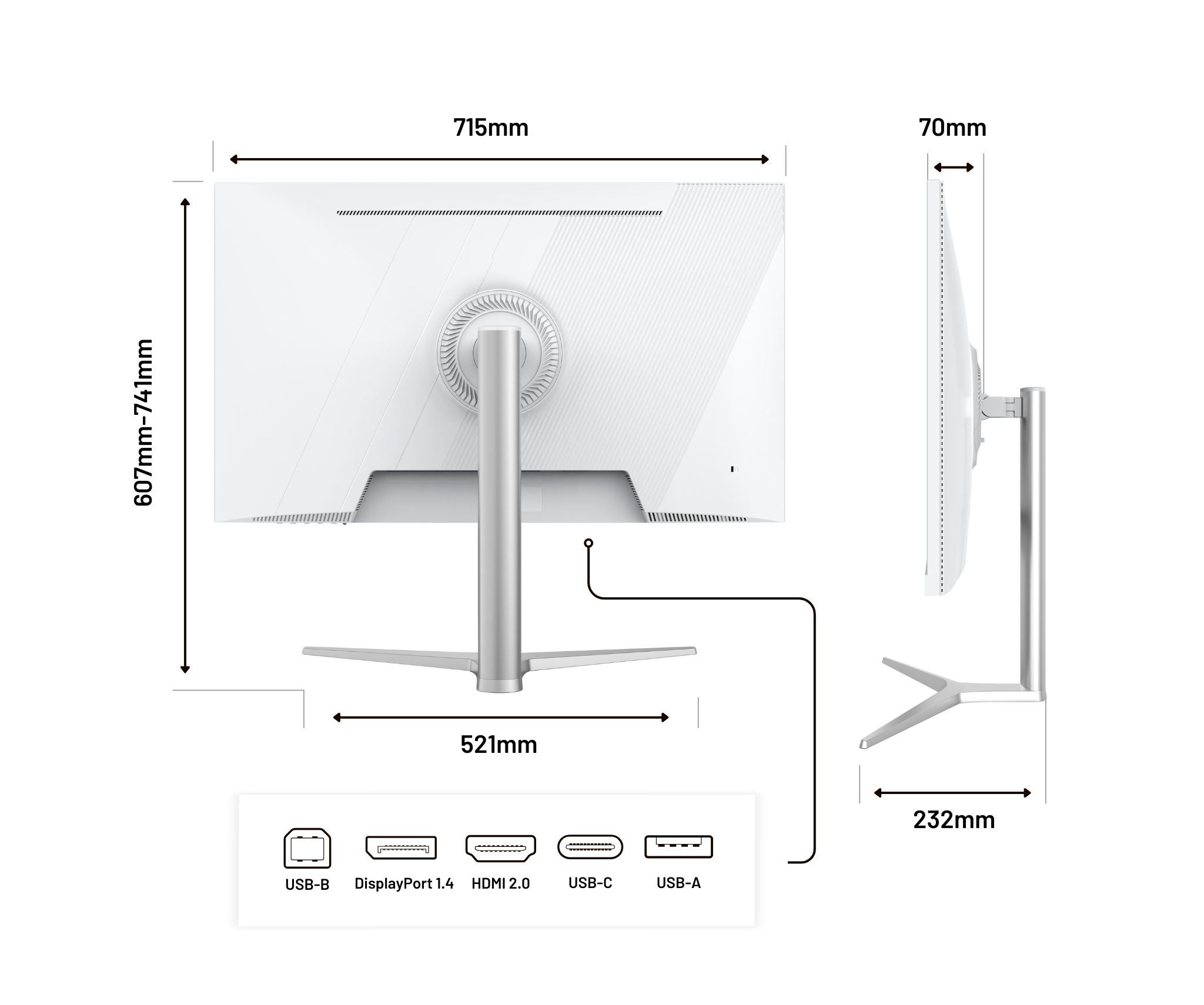
Energy llass HDMI x2
Energy llass DisplayPort x2
Energy llass USB-C
Energy llass USB-A x2
Energy llass USB-B
Energy llass Jack plug
Fréquemment acheté ensemble
Desktop Monitor | 31,5" | IPS | 6K
This product is out of stock
$30.00
x1
$30.00
x1
Combo
$95.99
pumper branding
Powered by Pumper
Fréquemment acheté ensemble
sdf
Bundle Inactive
sdf
Desktop Monitor | 31,5" | IPS | 6K
Desktop Monitor | 31,5" | IPS | 6K Desktop Monitor | 31,5" | IPS | 6K

Features

A SIMPLIFIED WORKSPACE

  • Rotation

    Switch between landscape and portrait mode in one move, ideal for reading long documents or coding more efficiently.

  • Adjust

    Adjust the screen height to suit your sitting or standing position to reduce neck strain and improve ergonomics.

  • Tilt

    Adjust the vertical angle forward or backward to ensure a clear and comfortable view, regardless of your posture.

  • Pivot

    Rotate the monitor horizontally to easily direct it toward a colleague, customer, or second workstation.

YOUR IDEAL EVERYDAY MONITOR

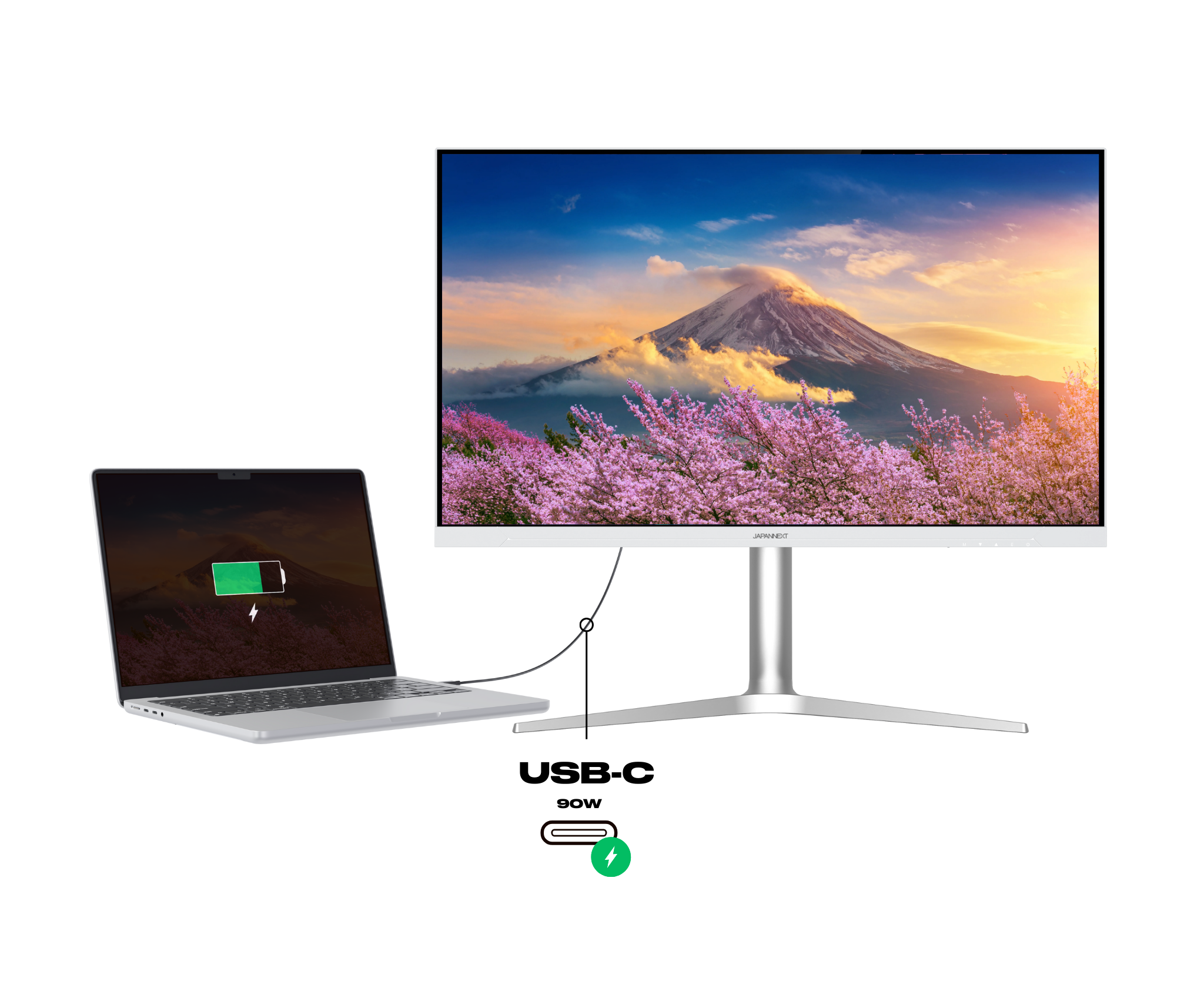
The performance of Power Delivery

USB Power Delivery is a fast charging technology for USB Type-C that allows you to charge your PC or MAC directly, as well as accessories such as your phone.

Advantages:

  • Much faster charging: you can charge your device up to 70% faster than with standard 5W charging.
  • High-speed safety: USB Type-C connectors have been designed specifically to support high-power levels.
  • Compatible with PC and Mac

HDR: Realistic colors and contrasts

HDR (High Dynamic Range) improves display quality by expanding the range of brightness and colors. It makes blacks deeper, whites brighter, and colors richer.

Benefits:

  • Exceptional image quality: details are visible in both dark and bright areas.
  • More accurate colors: reproduction of a wider and more vivid color gamut.
  • Enhanced immersion: ideal for watching movies, TV shows, and playing games in high quality.

KVM : Keyboard Video Mouse

KVM is a feature that allows you to control multiple computers from a single keyboard, monitor, and mouse. You can easily switch between devices without having to physically change peripherals.

Advantages:

  • Centralized management: control multiple computers from a single workstation.
  • Space savings: reduce clutter and simplify your workspace.
  • Increased productivity: quickly switch between devices without interruption.

Picture by Picture: The story told image by image

Picture by Picture (PbP) is a feature that allows you to display two video sources side by side on the same screen, each in its original size and resolution. It transforms your monitor into two perfectly aligned virtual screens.

Advantages:

  • Optimized productivity: work on a document while monitoring a video stream or comparing two pieces of content without switching screens.
  • Flexible display: each source keeps its resolution and can be placed side by side for a clear and balanced view.
  • Simplified multitasking: ideal for office work, video production, data analysis, or monitoring multiple systems.

Picture in Picture: Video in Multitasking Mode

Picture in Picture (PiP) is a feature that allows you to display a video or video call in a small floating window while continuing to use other applications on the main screen. The video remains visible at all times, even if you switch to another task.

Advantages:

  • Easy multitasking: you can watch a video, follow a tutorial, or maintain a video call while browsing the Internet, responding to messages, or working on another task.
  • Display flexibility: the floating window can be moved or resized according to your needs.

Technical assets

Panel
Features
Connectivity
Audio
Settings
Consumption
Condition of use
Dimensions & weight
Other
Type IPS
Size 31.5'' (80.01 cm)
Resolution 6K (6016x3384)
Refresh Rate 60 Hz
Response Time 8.0 ms
Backlighting E-LED
Brightness 500
Contrast ratio 1500:1
Dynamic Contrast Ratio Inclus
Aspect Ratio 16:9
Pixel Pitch 0.1159
Angle Viewing (HxV) 178° x 178°
Colour Support 1.07 billion
DCI-P3 98 %
Delivered with
  • Quick Start Guide

  • Power cable

  • USB-C cable

  • DisplayPort cable

  • HDMI cable

  • USB-A to USB-B cable

Reviews
  • 5 stars: 4 (80%)
  • 4 stars: 0 (0%)
  • 3 stars: 0 (0%)
  • 2 stars: 1 (20%)
  • 1 star: 0 (0%)
A
Arnold Wentholt
Will need to contact customer service

After connecting my iPad my MacBook Pro gets 800*600 resolution, which cannot be adjusted by software or monitor settings. Monitor needs hard reset, and then it might book. Boot menu from my Windows PC is displayed as garbage. Aften booting, login screen appears, but after login screen stays black for a couple of minutes, after finally my desktop appears.
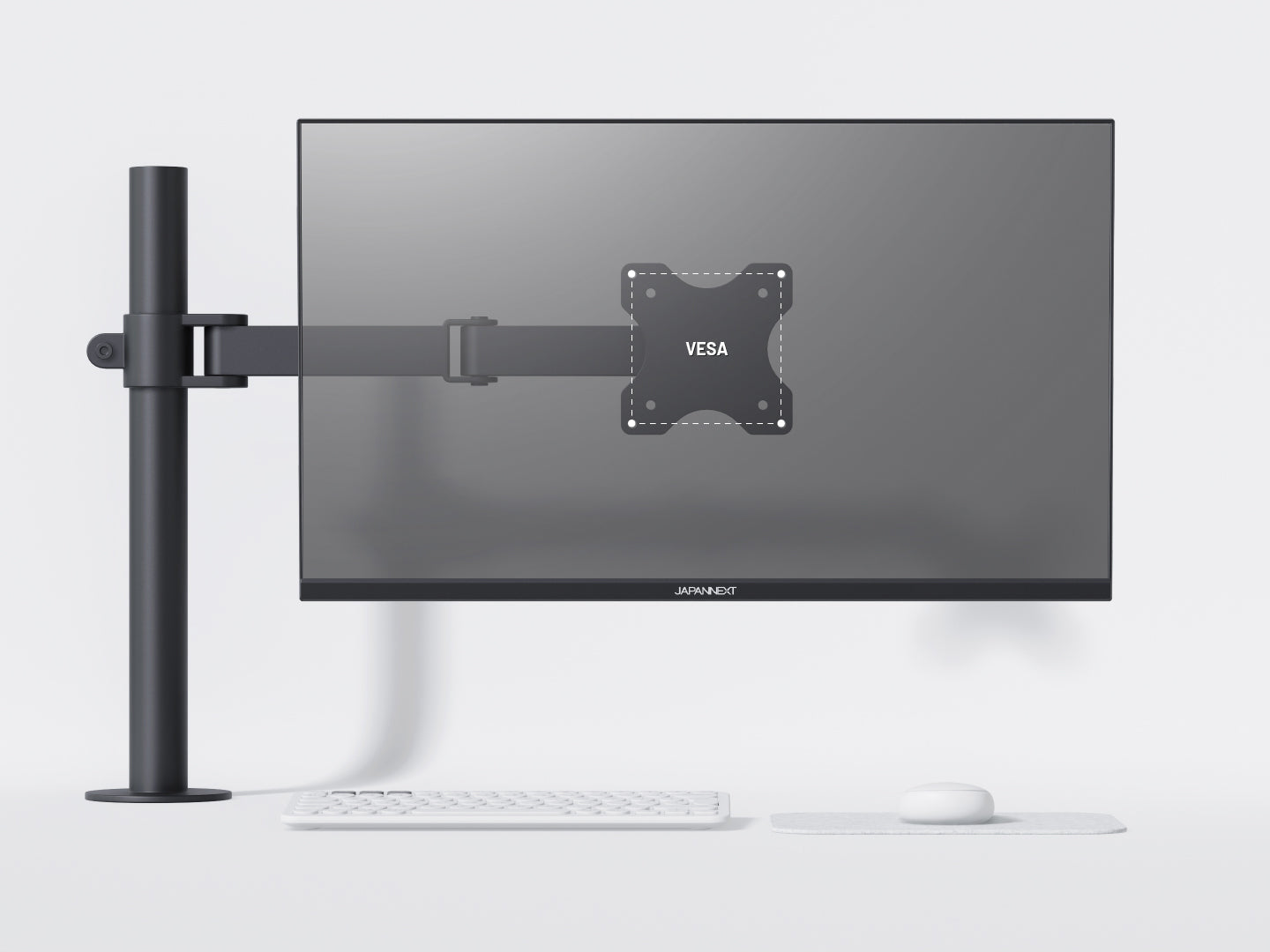
On MacBook, volume of the speakers cannot be adjusted, not using the buttons on the monitor, and not using software. The volume can be muted though. The VESA mount is not a 100x100 one, and my monitor arm, that also supports VESA 75x75, is not compatible with my monitor.
Still need to discover how I can wake-up this monitor in a normal way, without having to open my laptop or off/on cycles.

B
Bruce LIEVRE
Très bel écran 6k pour un Mac

J’ai découvert cette marque suite à un article sur un site spécialisé dans le monde Mac.J’étais à la recherche d’un écran 6k à un prix raisonnable. Et justement l’article en question mentionnait une baisse de prix sur ce modèle.Commandé le jour même, reçu le lendemain alors que le délai annoncé était de plusieurs jours. Première bonne surprise.Aussitôt reçu, aussitôt mis en service et connecté sur un MacBook Pro M5. Quelle claque visuelle !Quel confort ! J’adore !J’utilise beaucoup Lightroom et faire du traitement d’image avec cet écran est tellement plus agréable qu’avec mon ancien 24’’.La luminosité me convient tout à fait même en mode HDR alors que je suis dans une pièce assez lumineuse avec une fenêtre sur le côté.Les hauts parleurs intégrés dépannent…C’est donc la deuxième bonne surprise.Le pied est réglable sur plusieurs axes facilitant l’installation.Troisième bonne surprise.Testé aussi sur un PC… Bon Windows a des progrès à faire sur la gestion de la 6KL’écran présente une qualité de fabrication tout à fait correcte. Pas d’alimentation externe et ça c’est top. Hub USB. Dalle mat, ça ne le gêne pas. C’est même assez reposant.Bref que du bien pour un prix contenu.Si vous avez un Mac, n’hésitez pas.

A
Amazon Customer
Great connectivity with MacBook

Great compatibility with the USB-C cable included with the monitor. The colors are excellent and the sharpness is like a high-quality smartphone screen – no adjustments needed with Better Display. It has an IPS matte screen with average backlight bleed. I don't use the monitor's audio; it lacks bass and isn't very loud, but at least it doesn't crackle. While Apple uses aluminum, this white plastic frame and stand are decent and look neat. Highly recommended – great value for the money.

R
Roger
Ecran parfait pour mac mini

Excellent produit. Très bon rendu des couleurs. Excellente finesse des textes. Et des images.Pas de webcam et qualité médiocre des hauts-parleurs, mais ça je le savais avant d’acheter le produit. Compte tenu du prix c’est un excellent produit que je ne peux que conseiller.

v
ventimaux
top

Top

Helpdesk
The monitor specialist
  • FREE Express Delivery

    No need to wait to enjoy your screen, JAPANNEXT offers express delivery within 48 hours .

  • Dedicated customer service

    Rest assured, our team is available to advice you and support you in your purchase.

  • Payment in 3x without fees

    With our partner Klarna, pay for your screen in 3 monthly installments and all free of charge.